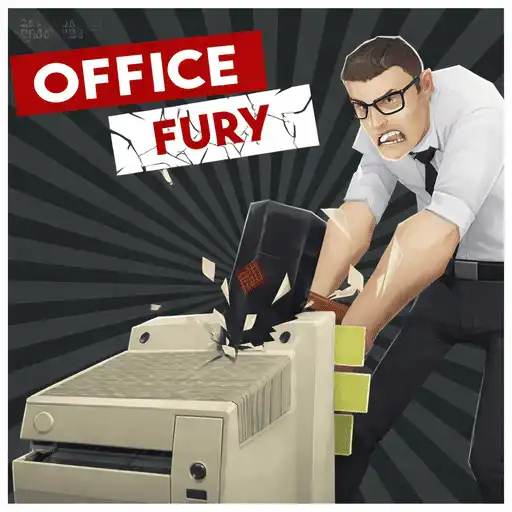
Office Fury
The meeting can wait. The fax machine cannot.
Office Fury · Press Esc to exit fullscreen
ABOUT THE GAME
Steve Snaps has had enough
Office Fury is a short, loud stress-relief smash game. You play Steve Snaps, an overworked cubicle type at the joke corp Slavetech, and your only job for the next minute is to wreck the floor—desks, chairs, monitors, printers, doors—before the timer dumps you back to the score screen.
Coins fall out of the rubble. Spend them on harder-hitting gear and perk upgrades so the next sixty seconds clear rooms faster. It is not a stealth sim or a story campaign; it is controlled panic with a baseball bat that eventually turns into something meaner.
This page embeds a browser WebGL build. Click play, pick a weapon and mode, and treat the first run as a map of where the dense prop clusters live.
HOW IT PLAYS
Move fast, swing often, sweep corners
- 1
One-minute destruction clocks
Normal mode is the classic: maximize damage and coin pickup before time runs out. Break a door when you need the next room—lingering in an empty corner is free points you left on the table.
- 2
Shop between meltdowns
Start with a simple bat; unlock axes, blades, sledge-style hitters, and speed or explosion perks as coins stack. Heavier tools matter more than fancy movement tech.
- 3
Modes change the joke
Hosts commonly unlock Bonus Car, Printer Jam, FPS (first-person), and Pointless Job after coin thresholds. Same smash loop, different camera or target focus so rematches do not feel identical.
WHAT YOU'RE UNLOCKING
Faster clears, louder toys
Progress is shop depth and mode access, not a final boss. Grab floating power-ups mid-run when you see them—speed spins, time bumpers, and room-clear explosions are how average timers turn into personal bests.
Pointless Job–style tracking on some builds tallies career damage across sessions. If you only care about one clean minute, stay in Normal and upgrade swing speed until the layout feels small.
CONTROLS
Keyboard + mouse
RAGE TIPS
Route the room, don’t tunnel one desk
- Circle, then commit — Sweep a path so you are not backtracking through empty air. Clusters of electronics usually pay better than a lonely chair.
- Prioritize time and speed pickups — If something drops a timer bump or smash-speed boost, take it early. More seconds beat one extra monitor later.
- Spend coins before a “serious” run — A fresh perk or weapon changes how much of the office you can finish in sixty seconds. Shopping after a warm-up run is fine; shopping mid-high-score attempt is not.
- Try FPS once for room reading — Third-person shows the layout; first-person makes swings feel closer. If you keep missing side cubicles, flip modes and relearn the corners.
FAQ
How long is a round?+
Most runs are built around a roughly 60-second timer. Power-ups can stretch that; when the clock hits zero, you cash out coins and score.
Can I play without downloading?+
Yes. Office Fury runs in the browser embed on this page—no install or account required for the basic loop.
What should I buy first?+
Anything that speeds up smashing or clears clusters faster. A stronger weapon plus a speed perk usually beats cosmetic-looking unlocks when you are still learning room routes.
SHARE
Playing Office Fury—sixty seconds, one bat, and a printer that had it coming.
https://escaperoad-3.com/games/office-fury
Office Fury