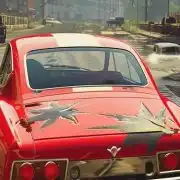
MadOut2 Big City Online
Big map, louder engines—pick a car and take the district.
MadOut2 Big City Online · Press Esc to exit fullscreen
ABOUT THE GAME
Eastern Europe sandbox, player-directed chaos
MadOut2 Big City Online is an open-world action and racing sandbox from MadOut Games. The fantasy is a sprawling post-Soviet cityscape—urban grids, outskirts, and off-road stretches—where you drive hard, take jobs, race rivals, and grow a garage instead of following a single cinematic campaign.
On mobile and the older Steam build (now closed/unsupported by the developer), the full product mixes offline free roam with online servers: Free Roam, role-play flavored rooms, racing/parkour, and cops-versus-bandits style modes, plus dozens of story missions and deep car tuning. Fleets are large (hosts often cite 70+ vehicles spanning economy crates to premium and off-road toys).
This page embeds a third-party browser session so you can sample that drive-and-disrupt loop without opening an app store from here. Multiplayer population, RP servers, and exact mission lists depend on the host—treat on-screen menus as the live feature set for your tab.
WHAT YOU DO
Roam, race, earn, rebuild the ride
- 1
Free-roam the map
Cruise city streets, suburbs, and dirt without a forced story beat. Open the map for markers, then ignore them whenever you just want to test handling.
- 2
Missions and street jobs
Map tasks and story-style jobs pay cash and push you into chases, thefts, or combat beats. Early work is light; later markers escalate heat and vehicle demand.
- 3
Races and competitive play
Queue structured races or parkour-style challenges when available. Online rooms (if the embed connects) turn the same roads into lobbies of human rivals.
- 4
On-foot and vehicle combat
Switch weapons, aim, and fire when a job or PvP skirmish goes loud. Jump and camera look matter as much as throttle when fights spill into traffic.
- 5
Garage and customization
Spend earnings on new cars and tuning—engine, suspension, tires, vinyls—so each rebuild changes how the next race or escape feels.
WORLD & CONTENT
One big city, many session styles
Official MadOut2 sells variety over a linear plot: character looks and clothes, a deep vehicle roster, weather and destruction flair, and server modes that range from lawless free roam to themed PvP. Collectibles and side challenges sprinkle extra cash across the map for players who explore instead of only racing the next marker.
Browser ports often shrink online capacity, voice/RP tools, or the full cosmetics shop compared with the Android/iOS client. Graphics sliders and controller remaps (when present) are worth touching before long sessions. If saves or lobbies fail to stick, treat the embed as an arcade sandbox and finish key races in one sitting.
CONTROLS
Keyboard & mouse (typical PC / browser bind)
SESSION TIPS
Cleaner city runs, fewer early wrecks
- Open settings before the first race — Confirm WASD (or arrows) and camera sensitivity so you are not fighting the defaults mid-chase.
- Earn a reliable starter, then tune — A stable daily driver beats a fragile supercar you cannot afford to repair after every job.
- Use the map icons — Missions and races hide in corners of the city—scan the minimap instead of driving blind for cash.
- Expect lighter online than mobile — If lobbies look empty, switch to free roam or offline-style play and still use the map for solo races and jobs.
- Click into the frame — If WASD does nothing, click the player so keyboard and mouse focus sit on the embed.
- Prefer desktop for aiming — Mouse look plus keyboard driving is cleaner than touch when fights and races overlap.
FAQ
What is MadOut2 Big City Online?+
It is an open-world driving and action sandbox by MadOut Games, best known on mobile, with free roam, missions, races, car customization, and optional online modes in Eastern Europe–styled maps.
Is this the official MadOut Games client?+
No. This page hosts a third-party browser embed for convenience. The developer’s supported releases are primarily on mobile app stores; the Steam PC listing is closed and unsupported.
Is it like GTA?+
It borrows the open-world crime-and-cars fantasy—drive, fight, earn, customize—but it is an independent MadOut title, not Grand Theft Auto. GTA marks belong to their owners.
Can I play with other people?+
The full mobile game supports large online servers and mode rooms. Browser builds may offer limited or no multiplayer—check the session menus after load.
Do I need to download anything?+
Not from this site. Wait through the first asset load in the embed before refreshing.
How do I control the game?+
Typical browser binds use WASD to move/drive, mouse to look, F to enter vehicles, and click/Space to shoot. Open in-game settings to confirm or remap keys for your host.
SHARE
Playing MadOut2 Big City Online in the browser—open-world drives, races, and mission chaos with no install.
https://escaperoad-3.com/games/madout2-bigcityonline
MadOut2 Big City Online