GTA 3 Browser
Liberty City, 2001 energy—load the embed and see how far you get.
GTA 3 Browser · Press Esc to exit fullscreen
ABOUT THE GAME
The 3D open-world classic, in a browser tab
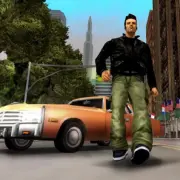
Grand Theft Auto III (2001) is the title that pulled the series into full 3D. You play as Claude, a quiet operator left for dead after a heist goes wrong, scraping by in Liberty City—a living metropolis of traffic, gangs, radio stations, and jobs that pull you deeper into the underworld.
This page embeds a third-party web build so you can try that Liberty City loop without hunting down a full PC install. Expect the familiar mix of story missions, free roaming, car theft, and wanted-level pressure—though performance, saves, and exact features depend on the host and your device.
Treat it as a quick way to revisit (or discover) the tone that later GTA games built on: dark humor, city-scale freedom, and missions that reward planning as much as chaos.
WHAT YOU DO
Missions by day, mayhem by choice
- 1
Open-city freedom
Walk, sprint, or jack a vehicle and cross districts at your own pace. Side streets, docks, and highways all feed the same sandbox—go where the map (and your curiosity) allow.
- 2
Story jobs & contacts
Markers from crime bosses and fixer types push the campaign forward. Finish key beats to unlock new bridges, islands, and employers.
- 3
Chase, fight, disappear
On-foot shootouts and vehicle getaways both matter. Raise enough heat and law enforcement ratchets up—lose stars by staying out of sight or ditching hot rides.
- 4
Living background systems
Pedestrians, traffic, and ambient events keep the city moving even when you ignore the next marker. Improvising is half the fun.
WORLD & CONTENT
Three islands, one crime ladder
Liberty City splits into Portland (industrial docks and red-light grit), Staunton Island (busier commercial core), and Shoreside Vale (residential and outskirts). Early on you are bottled into Portland; story progress repairs bridges so you can push inland.
Between main jobs you can hunt collectibles, test vehicle handling, and revisit old turf—just know enemies you made earlier may remember you. Browser builds may trim extras or change how saves persist, so clear short goals if progress does not stick between visits.
CONTROLS
Keyboard & mouse (typical PC-style bind)
SESSION TIPS
Smoother Liberty City runs
- Let the first load finish — 3D city assets are heavy. Wait until the world is responsive before mashing keys or refreshing.
- Prefer a desktop Chromium browser — Chrome or Edge with hardware acceleration on usually handles WebGL ports better than thin mobile tabs.
- Click into the frame — If nothing moves, click the game area so keyboard and mouse lock to the embed—Esc releases pointer lock.
- Close extra tabs — Free RAM and GPU for the city. Background streams and other WebGL pages steal frames fast.
- Lose heat before forcing fights — When stars climb, change vehicles and leave the chase radius instead of reloading into a swarm.
FAQ
Is this the official Rockstar PC or console release?+
No. This page embeds a third-party browser version for quick access. Content, performance, and controls can differ from the retail game.
Do I need to download or install anything?+
Not from this site. The game runs in the embed. The first load may still stream a large amount of data into the browser—give it time.
Who owns Grand Theft Auto III?+
GTA and related marks belong to their rights holders (Rockstar Games / Take-Two). We only host a convenient player page that embeds an external web build.
Will my progress save between visits?+
It depends on the host and your browser storage. If saves do not stick, treat sessions as short arcade runs and finish missions in one sitting when you can.
Why is the game slow or black-screened?+
Enable hardware acceleration, use an up-to-date desktop browser, close heavy tabs, and wait through the initial asset load before refreshing.
SHARE
Playing GTA III in the browser—Liberty City without a long install.
https://escaperoad-3.com/games/gta-3-browser
GTA 3 Browser