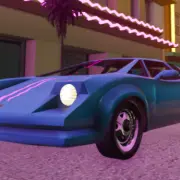
GTA Vice City Browser
Pastel crime, radio loud—load Vice City and take the strip.
GTA Vice City Browser · Press Esc to exit fullscreen
ABOUT THE GAME
Neon nights, loud radios, open asphalt
Grand Theft Auto: Vice City (2002) drops you into a sun-bleached, neon-soaked 1986 metropolis inspired by Miami. You play Tommy Vercetti—fresh out of a long stretch and sent south for one big deal—who ends up scrambling to rebuild cash, reputation, and eventually an empire after the job blows up.
This page embeds a third-party browser build so you can sample that vice-and-velocity loop without hunting a full PC install. Expect open-world driving, mission markers, wanted heat, and period cars and fashion—though performance, audio fidelity, and exact feature coverage depend on the host.
What people still remember is the mood: pastel towers, beach highways, talkative radio DJs, and a story that mixes crime comedy with property takeovers. Use this embed for a nostalgia hit or a first taste of that 80s sandbox.
WHAT YOU DO
Jobs, wheels, and city takeover energy
- 1
Story missions
Follow contacts across the map—drug deals, hits, escorts, and chaos set pieces. Clearing key jobs unlocks new districts, toys, and employers.
- 2
Free-roam Vice City
Ignore the next marker when you want. Steal convertibles, hop islands, hunt side activities, or just cruise while the radio rolls.
- 3
Combat & getaways
On-foot shootouts and drive-bys both matter. Stars climb when you push luck—swap cars, leave the chase radius, and wait heat out.
- 4
Empire flavor (when available)
In the full game, businesses and assets expand your foothold. Browser builds may expose all, some, or none of that layer—follow what the HUD actually offers.
WORLD & CONTENT
From beachfront hustler to city heavy
Vice City spreads across linked islands and districts—beaches, downtown towers, industrial pockets, and suburban sprawl. Early story beats keep you local; later missions open bridges and new turf until Tommy’s reach covers the whole map.
Collectibles, unique stunt jumps, weapon pickups, and property buyouts pad the main campaign in the retail game. Web ports sometimes trim extras or change save behavior, so knock out shorter goals if progress does not stick between visits.
CONTROLS
Keyboard & mouse (typical PC-style bind)
SESSION TIPS
Keep the neon smooth
- Wait out the first load — City assets and audio packs are heavy. Let the world settle before refreshing or mashing keys.
- Desktop Chromium helps — Chrome or Edge with hardware acceleration on usually handles WebGL open-world ports better than thin mobile tabs.
- Click into the frame — If nothing moves, click the player so keyboard and mouse lock to the embed—Esc releases pointer lock.
- Lose heat before forcing fights — When stars climb, change vehicles and leave the chase zone instead of reloading into a swarm.
- Respect embed limits — Missing missions, muted radio, or odd bindings are usually host-side limits—adapt to what is wired up.
FAQ
Is this the same as the full PC or Definitive Edition?+
Not necessarily. Browser embeds can differ in content, graphics, audio, and controls. This page only provides access to the hosted web version.
Do I need to download or install anything?+
Not from this site. The game runs in the embed. The first load may still stream a large amount of data into the browser—give it time.
Who owns Grand Theft Auto: Vice City?+
GTA and related marks belong to their rights holders (Rockstar Games / Take-Two). We only host a convenient player page that embeds an external web build.
Will my save progress stick?+
It depends on the host and your browser storage. If saves do not persist, finish shorter mission chains in one sitting.
Why is audio missing or the game stuttering?+
Close extra tabs, enable hardware acceleration, use an up-to-date desktop browser, and wait through the initial asset stream before refreshing.
SHARE
Playing GTA: Vice City in the browser—1980s neon open world without a long install.
https://escaperoad-3.com/games/gta-vice-city-browser
GTA Vice City Browser