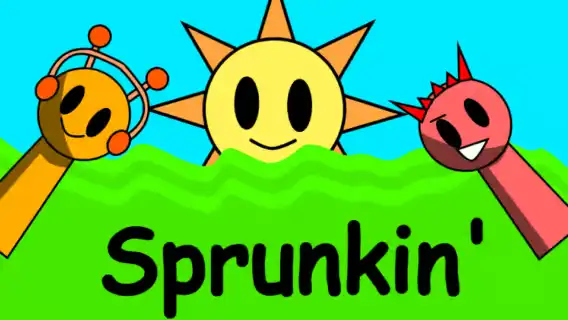
Sprunkin
Seat a groove first—then decide if the black hat belongs on stage.
Sprunkin · Press Esc to exit fullscreen
ABOUT THE GAME
A rock-leaning Sprunki stage you build by hand
Sprunkin is an independent, fan-made take on the Incredibox Sprunki formula: empty stage slots, a tray of performers, and a loop that grows only when you place someone. The art is hand-drawn, the UI stays light, and the sound palette pushes further into electric-guitar grit and punchy drums than a classic beatbox set.
Two roster extras sit outside the usual tray—Mustard and Gray—reachable from the top menu so you can thicken a mix without swapping the whole cast. The other signature twist is Horror Mode: drop the black-hat figure from the lower-right tray onto a free slot and the bright session flips into a darker scene with altered loops and animations.
There is no score chase and no fail state. You listen, rearrange, wipe the board with the top-right arrow when a stack gets muddy, and try again. This page embeds a browser build so you can mix on desktop or touch without installing anything.
HOW IT PLAYS
Seat loops, then stress-test the stack
- 1
One icon, one layer
Each character owns a loop—kick pattern, bass figure, riff, vocal, or FX. Drag from the tray onto an empty stage figure to hear that layer join the current loop. Tap a seated character again when you want that part gone.
- 2
Mustard and Gray are top-bar extras
They are not buried in the main row. Open the top menu, pull them onto the stage, and treat them like any other layer: keep them if they fill a hole, yank them if they crowd the midrange.
- 3
Horror Mode is a performer, not a settings toggle
The black-hat icon in the lower-right tray is the switch. Place it to darken the backdrop and rewrite the sound set; remove it (or clear the stage) when you want the bright mix back. Builds differ slightly—if Reset keeps the dark look, reload the embed for a clean bright start.
- 4
Reset is intentional, not a penalty
The arrow control in the upper-right clears the rhythm so you can rebuild without hunting every seated icon. Use it when the stack is noisy, not only when you want Horror Mode again.
WHAT YOU'RE EXPLORING
Combinations, not levels
Sprunkin does not gate content behind XP. Depth comes from hearing how rock drums sit under a vocal, whether Mustard or Gray unlocks a texture the base cast lacks, and how the same seating sounds once Horror Mode rewrites the sample set.
A useful session order: lock a short bright groove with two or three icons, add the extras if the loop needs edge, then introduce the black hat so you can compare both moods on the same skeleton. When the stage feels crowded, wipe with the arrow and keep only the parts you can still name by ear.
CONTROLS
Drag, drop, clear, flip
MIXING TIPS
Hear the pocket before you flip the lights
- Start thin — Two or three layers make each part readable. Filling every slot on minute one turns the stage into noise and hides which icon actually carries the groove.
- Seat drums before riffs — A kick/snare bed gives guitar and vocal loops somewhere to land. Drop melodic icons first and you will keep swapping them until a pulse appears.
- Use Mustard / Gray as spice — Add them when the base cast feels finished, not as the opening pair. If the mix suddenly muddies, remove the extra before you wipe the whole board.
- Horror after a solid bright take — The dark flip is more interesting when you already know the bright arrangement. Place the black hat on a finished skeleton so you can hear what changed—not guess.
- Reset when you cannot name parts — If you cannot point to who owns the kick, the riff, and the vocal, the arrow is cheaper than random removals.
FAQ
What is Sprunkin?+
A fan-made Sprunki / Incredibox-style browser mixer with hand-drawn art, a rock-leaning sample set, bonus characters Mustard and Gray, and a Horror Mode triggered by the black-hat icon.
How do I play?+
Drag performers onto empty stage slots to layer loops. Change the mix by adding or removing icons. Mustard and Gray live in the top menu; Horror Mode uses the black-hat figure in the lower-right tray; the upper-right arrow clears the rhythm.
How do I turn on Horror Mode?+
Place the black-hat character from the lower-right tray onto a free stage slot. The scene and sounds shift darker. Remove that icon or reset/reload if you want the bright stage again.
Where are Mustard and Gray?+
They are extra roster members opened from the top menu, not only the bottom tray. Drag them onto the stage like any other sound layer.
Do I need to download anything?+
No. This page runs a browser embed—play on PC or mobile in the tab. Headphones help once several layers stack.
Is this official Incredibox?+
No. Sprunkin is an independent fan mod in the Sprunki tradition. Expect community art and audio, not an official So Far So Good release.
SHARE
Playing Sprunkin—drag-and-drop Sprunki mixer with rock loops and a Horror Mode flip.
https://escaperoad-3.com/games/sprunkin
Sprunkin